Common Screen Sizes in Inches: TV, Laptop, Monitor & Phone Chart
How Screen Size Is Actually Measured
When a manufacturer says “55-inch TV,” they mean the diagonal distance across the visible screen — bottom-left corner to top-right corner — not the width or height on its own. This has been the industry standard since early CRT televisions, and it stuck because it gives one clean number regardless of aspect ratio.
It also means two screens with the same diagonal size can look different in width if their aspect ratios differ — a 34-inch ultrawide monitor is much narrower top-to-bottom than a 34-inch standard monitor would be.
TV Screen Sizes in Inches
- 32 to 43 inches — common for bedrooms and smaller living spaces
- 50 to 65 inches — the most popular range for main living-room TVs
- 70 to 85 inches — large-format sets for bigger rooms or dedicated home theaters
Laptop & Monitor Screen Sizes in Inches
- 11 to 13 inches — ultraportable and travel laptops
- 14 to 15.6 inches — the most common everyday laptop size
- 16 to 17 inches — gaming and creative-work laptops
- 21 to 27 inches — standard desktop monitors
- 29 to 34 inches — ultrawide monitors
Phone Screen Sizes in Inches
Most modern smartphones fall between 6.0 and 6.9 inches measured diagonally, with “compact” models sitting closer to 6.1 inches and larger models pushing past 6.7 inches. Anything smaller than 5.5 inches is now unusual in a new phone.
Screen Size vs. Resolution: Not the Same Thing
Screen size (measured in inches) and resolution (measured in pixels, like 1920×1080) are independent specs. A 24-inch and a 27-inch monitor can share the same resolution — the larger screen just spreads the same pixels over more physical inches, making each pixel bigger and the image slightly less sharp per inch.
Matching TV Size to Room Size
A common rule of thumb: sit no farther than about 1.5 times the TV’s diagonal size, in inches, converted to feet. For a 55-inch TV, that works out to roughly 7 feet of ideal viewing distance; for a 65-inch TV, closer to 8 feet.
Common Screen Size Comparisons
- 43″ vs. 50″ TV — the 50″ has roughly 35% more screen area, not just 7 inches more
- 13″ vs. 15.6″ laptop — the 15.6″ is noticeably heavier and less portable, but shows meaningfully more content per screen
- 24″ vs. 27″ monitor — the most common upgrade path for home office setups
Because screen size is diagonal, small differences in inches translate to bigger differences in actual area — a jump from 43″ to 50″ sounds modest but adds up to roughly a third more visible screen.
How to Measure Your Own Screen
Place a tape measure at one bottom corner of the visible display and stretch it to the opposite top corner — not the edge of the bezel or case. Round to the nearest half inch; manufacturers do the same.
To convert your measurement to centimeters or millimeters, use the Inches to Centimeters Converter.
Frequently Asked Questions
Is screen size measured diagonally or by width?
Always diagonally, corner to corner across the visible display.
What’s the most common TV size?
50 to 65 inches is the most common range for primary living-room TVs.
What’s the most common laptop screen size?
14 to 15.6 inches covers most everyday laptops.
How big is a 24-inch monitor compared to a 27-inch one?
A 27-inch monitor is noticeably larger — about 3 inches more diagonal, which adds meaningful width and height at a typical 16:9 aspect ratio.
Does screen size include the bezel?
No. Screen size only measures the visible display area, not the surrounding frame.
Related Reading
Related Articles
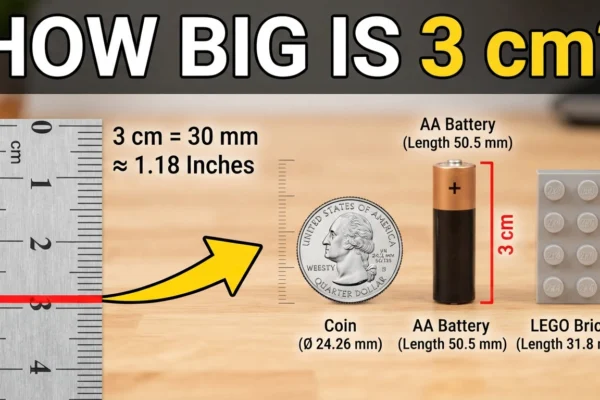
How Big Is 3 cm? Size in Inches, mm, and Real Objects
3 centimeters is 1.18 inches — a hair under 1 3/16 inches on a ruler, and exactly 30 millimeters. To picture it without measuring anything: it’s about the…
10 Everyday Things That Are 24 Inches Long
24 inches equals 2 feet, 60.96 centimeters, 609.6 millimeters, or 0.6096 meters. It is roughly the diagonal size of a small computer monitor, or the height of a…

8 Everyday Things That Are 36 Inches (One Yard)
36 inches equals exactly 3 feet (1 yard), 91.44 centimeters, 914.4 millimeters, or 0.9144 meters. It is the length of a standard yardstick and the standard height of…
9 Everyday Things That Are 60 Inches Tall (5 Feet)
When you think about things that are around 60 inches tall, several common items come to mind. This height is often found in furniture and household items. Here’s…